
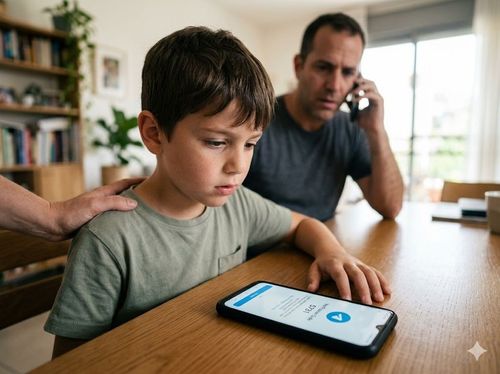
You wake up to a notification that your child has "joined Telegram" or "registered for WhatsApp." The catch? They never downloaded the app, and you actively monitor their device with parental controls like Google Family Link. Here is exactly how cybercriminals bypass your device security, and how to shut them out in one phone call.
Parents often rely on device-level control apps to block unauthorized downloads and manage screen time, assuming this creates an airtight security perimeter. However, a widespread vulnerability allows automated botnets to hijack phone numbers without ever touching the physical device. The weak link isn't the smartphone—it's the telecom provider's legacy voicemail system.
The Loophole: Unsecured Voicemail
Cybercriminals constantly harvest active phone numbers to create verified accounts for spam distribution, crypto scams, or resale. They specifically target numbers belonging to children or elderly users who are less likely to have existing accounts or strict security measures in place.

Here is the step-by-step execution of the exploit:
* The Registration Attempt: An automated script attempts to register a new Telegram or WhatsApp account using your child's phone number on a remote device.
* The SMS Bypass: The app sends an SMS verification code to your child's phone. The child either ignores it, or the phone is simply idle.
* The Voice Call Fallback: When the SMS code isn't entered, the app automatically offers to deliver the code via an automated voice call.
* The Interception: The automated call goes straight to the child's voicemail. The app's robotic voice dictates the One-Time Password (OTP) into the voicemail recording.
* The Breach: Most telecom providers issue a default 4-digit PIN for voicemail access (often 0000, 1111, or the last four digits of the phone number), which users rarely change. The hackers dial into the voicemail system remotely, punch in the default PIN, listen to the recording, and extract the OTP to verify the account.

The Impact of a Hijacked Number
To be clear: the attackers do not gain access to the physical device. They cannot read personal texts, view photos, or bypass parental screen locks.
However, they now possess a verified digital identity tied to your child's phone number. They will typically activate Two-Step Verification (2FA) immediately, linking the account to their own email address. This locks the legitimate owner out and forces a frustrating, days-long recovery process. In the meantime, the account is utilized as a node in a global spam network.
3 Actionable Steps to Secure the Line
Securing the device is no longer enough; you must secure the cellular line itself.
Disable the Voicemail Service
Contact your cellular provider immediately and request the complete deactivation of the voicemail service on all family lines. It is a legacy feature that is rarely used today, yet serves as a massive security vulnerability. If you must keep it, change the PIN to a complex, non-sequential number.
Enable Two-Step Verification (2FA) Proactively:
For any communication app your family does use, navigate to the settings and enable Two-Step Verification. This requires a custom PIN for any new login attempt, rendering intercepted SMS or voice codes useless to attackers.
Never Ignore Verification Texts
If a device receives an unsolicited OTP or verification code, treat it as an active breach attempt. Do not dismiss it; verify the account's active sessions and force a logout of unrecognized devices.